
IT 대장간
1. Vagrant + Docker + 쿠버네티스 활용 (①설치) 본문
글을 쓰기 앞서서 소개하자면 보안 검증 및 테스트를 하기 앞서 가상머신이 반드시 필요함과 동시에
손쉬운 가상머신 활용방안을 알게되어 환경세팅을 위한 내용으로 포스팅하게 되었다.
-----------------------------------------------------------------------------------------------------------------------------------------------------------------
이번에 소개하는 Vagrant는 CLI 형식으로 VM을 컨트롤 할 수 있는 도구라고 보면 된다.
설치과정은 어렵지 않아 이미지로 간단히 소개하겠다.
* Vagrant를 사용하면 좋은 점
- OS 이미지 파일 찾는 시간 단축
- VM별 개별 설치 시간 대폭 감소
: 하나의 Kali 또는 CentOS를 설치하는 시간이 20분 정도 소요된다면 Vagrant를 통해 설치할 경우 2~3분이면 리눅스 Firefox까지 열어서 브라우저 캡쳐 가능
- init파일 수정을 통해 다수의 VM 동시 Power On 및 네트워크 그룹화 IP 할당 등을 일괄적으로 적용 가능
1-1) Vagrant 설치방법
https://developer.hashicorp.com/vagrant/downloads?product_intent=vagrant
Install | Vagrant | HashiCorp Developer
Explore Vagrant product documentation, tutorials, and examples.
developer.hashicorp.com
▶Windows

▶Ubuntu/Debian
wget -O- https://apt.releases.hashicorp.com/gpg | sudo gpg --dearmor -o /usr/share/keyrings/hashicorp-archive-keyring.gpg
echo "deb [signed-by=/usr/share/keyrings/hashicorp-archive-keyring.gpg] https://apt.releases.hashicorp.com $(lsb_release -cs) main" | sudo tee /etc/apt/sources.list.d/hashicorp.list
sudo apt update && sudo apt install vagrant
▶CentOS
sudo yum install -y yum-utils
sudo yum-config-manager --add-repo https://rpm.releases.hashicorp.com/RHEL/hashicorp.repo
sudo yum -y install vagrant

1-2) Virtual Box 설치
https://www.virtualbox.org/wiki/Download_Old_Builds_6_1
Download_Old_Builds_6_1 – Oracle VM VirtualBox
Download VirtualBox (Old Builds): VirtualBox 6.1 The Extension Packs in this section are released under the VirtualBox Personal Use and Evaluation License. All other binaries are released under the terms of the GPL version 2. By downloading, you agree to t
www.virtualbox.org

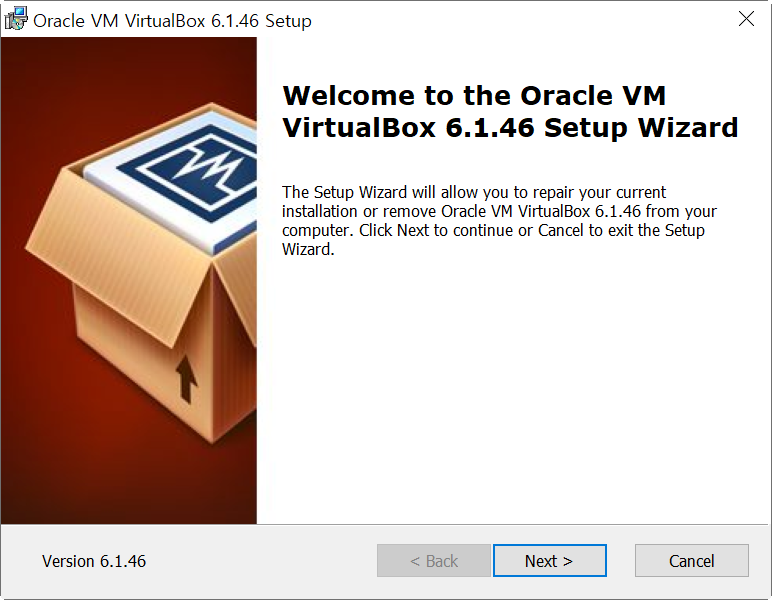
본인은 안정화 버전으로 6.1을 설치.
[Downloads] -> [VitualBox 6.1 builds] -> [Windows hosts] 클릭 시 아래 와 같은 셋업 파일 설치 가능
'해킹보안 > 진단 환경 구성' 카테고리의 다른 글
| 무선(WiFi, Bluetooth) 스니핑 (0) | 2025.09.25 |
|---|---|
| 안드로이드 루팅(갤럭시 s10e, Flip4) (0) | 2025.03.04 |
| Cloud Goat 설치 (0) | 2024.04.18 |
| 3. Vagrant + Docker + 쿠버네티스 활용 (③Docker) (0) | 2023.09.08 |
| 2. Vagrant + Docker + 쿠버네티스 활용 (②Vagrant 사용법) (1) | 2023.09.08 |

